Request
Creative Workshop
Requests are how players help decide what Index adds next. Open the board, choose the kind of change you want, and spend Rubies or Amethyst to put real priority behind it.
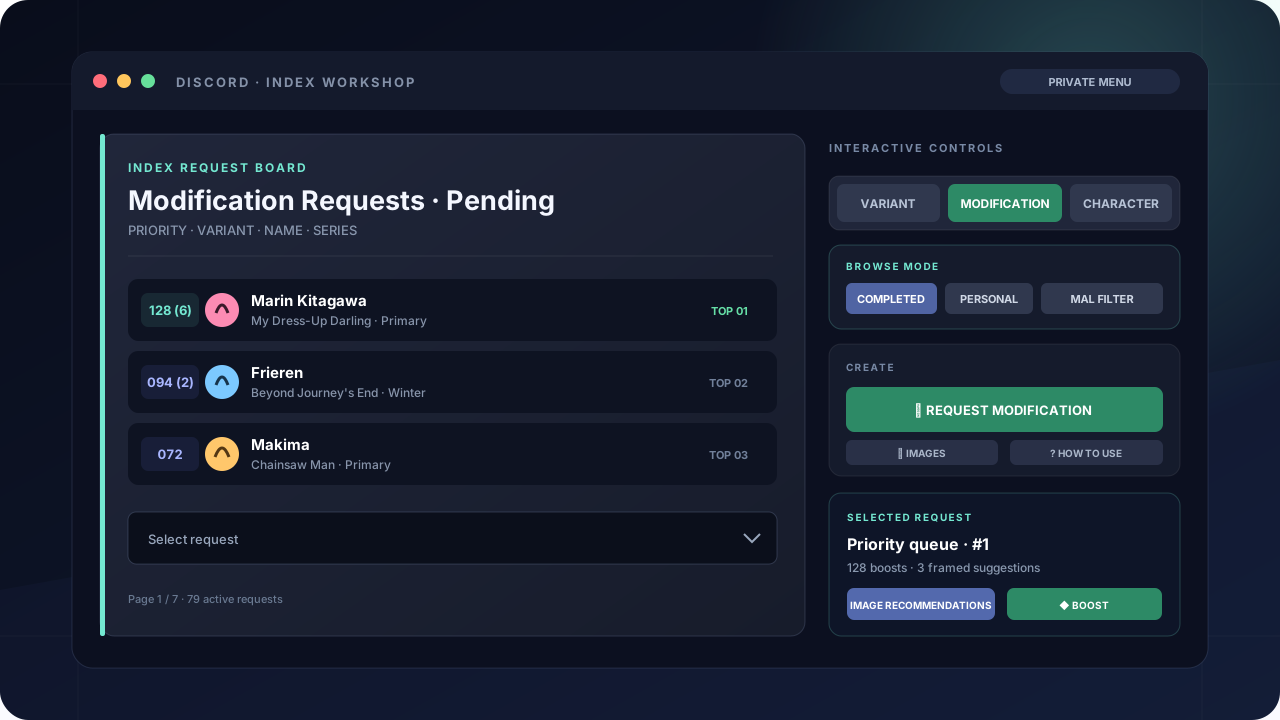
Open the board
/requestorxrequestThe first time through, read and accept the request rules. The board opens on Modification; use the three type buttons to move between every queue.
Character
Ask for a character who is not in Index yet. Search the MyAnimeList catalogue first; a custom name, series, and reference link are available when the character is not listed there.
Variant
Ask for another supported image type for an existing character. Choose the character, then choose one of the requestable variants they do not already have.
Modification
Ask for an existing variant to be replaced or improved. Select the exact servant image and write a clear reason describing what is wrong or what should change.
Read priority at a glance
Each line starts with its current boost count. Requests with more boosts rise above requests with fewer boosts; ties keep their request order. A number in parentheses is how many of those boosts came from you.
- Personal / GlobalPersonal shows requests you have supported. Global shows the entire active queue.
- Pending / CompletedMove between work that still needs attention and requests already delivered.
- Images / ListTurn on a visual gallery when you would rather browse faces than names.
- MAL FilterEnter a MyAnimeList username to narrow the board to series on that list.
Create or support a request
- 01
Choose the type
Pick Character, Variant, or Modification, then press the green create button.
- 02
Select the exact target
Use Index's character and servant filters to reach the correct character or image. For modifications, make the reason specific enough for another player to understand.
- 03
Choose a currency
Starting a request costs 5 Rubies or 5 Amethyst. If an active request already exists, Index opens it instead of charging you twice.
- 04
Boost what matters
Open any request and press a Ruby or Amethyst Boost button. Enter the amount in the modal; each boost costs one unit and raises priority by one.
What happens after priority?
A request also needs usable artwork. Anyone who created or boosted it can open Image Recommendations and contribute official artwork with an exact Index frame. Once images begin processing, new boosts and suggestions close.
NEXT GUIDEChoose and frame request artwork→